
Menu Options
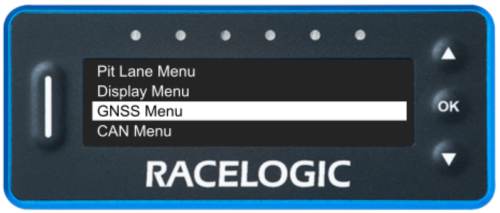
| You can access the VBOX Pit Lane Timer menu by pressing the OK button when on the Menu screen. You can navigate the menu with the ▲▼ buttons. |  |
Pit Lane Menu
|
The Pit Lane Menu contains settings for the Pit Lane Timing Mode, such as Entrance and Exit Lines, Pit Timing Modes, Minimum Pit Time, Pit to Exit Time, Pit Lane Speed Limit, Speed Limit Warnings and Pit Locations. You can find more information about the settings in this menu here. |
 |
Display Menu
|
The Display Menu contains settings for the Speed Mode options of Speed Units, Speed Decimal Places and Speed Smoothing Level, and display options, such as Screen Brightness, LED Brightness, Orientation Mode, Inverted Colour and Outline Font. You can find more information about the settings in this menu here. |
 |
GNSS Menu
|
The GNSS Menu contains settings for the GNSS engine, such as Coldstart functionality and Leap Seconds. You can find more information about the settings in this menu here. |
 |
CAN Menu
|
The CAN Menu contains settings for the CAN options, such as Baud Rates and Termination. You can find more information about the settings in this menu here. |
 |
About
|
The About section covers information about the unit, such as Firmware Version, Serial Number, Unit Type, GNSS Engine Type, GNSS Engine Version, GNSS Satellite Count and Factory Reset. You can find more information about the settings in this menu here. |
 |