
Predictive Lap Timing Menu
Delta-T Bar Range
 |
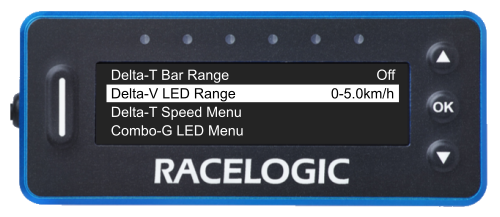
Delta-V LED Range
 |
Delta-T Speed Menu
|
When enabled, this mode will change the Predictive Lap Timing display to show your current speed and Delta-T information when your speed drops below the specified threshold for a set amount of time. This function is optimised for use with both 'Virtual safety car' conditions and pit lane speed limits. The Delta-T Speed Mode is disabled by default. When enabled, the default settings are: Speed: 65 km/h The display will return to the Predictive Lap Timing mode when your speed increases to 5 km/h over the configured Delta-T Speed value.
If you have set your OLED Display to Predictive Lap Timing Mode and you have enabled Delta-T Speed;
|
 |
Delta-T Speed
.png?revision=1) |
Speed
.png?revision=1) |
Time Delay
.png?revision=1) |
Back
.png?revision=1) |
Combo-G LED Menu
|
When you have enabled the Combo-G LED feature, the OLED Display will display the combined g information via the LEDs while also displaying the Delta-T information on the display. It encourages you to truly push your car at the braking points and turns to improve lap times. This feature is disabled by default. |
 |
Combo-G LED
.png?revision=1) |
Max. Braking G
.png?revision=1) |
Max. Cornering G
.png?revision=1) |
LED Minimum %
.png?revision=1) |
Back
.png?revision=1) |
Save Ref. Lap To SD Card
|
This setting allows you to save a reference lap for future use. Make sure that you have an SD Card inserted in the connected VBOX unit before you use this feature. Press the OK button with this option highlighted to save the current reference lap to the SD card.
When the saving process is complete, the unit will display a message to confirm that the lap has been saved successfully. The saved data will be stored on the SD card as LAP.REF in the 'Data' folder. |
 |
Load Ref. Lap From SD Card
|
You can load a reference lap stored from a previous session into the unit. You can name the file anything you want as long as it is in the .REF format, but you must save it in the 'Data' folder on the SD Card. Only one .REF file should be present in this folder at all times. Load the card into the connected VBOX unit and press the OK button with this setting highlighted to load the reference lap from the card.
The reference laps will be reset when you set a new start/finish, when you select the Reset Lap Timing Data option from the Lap Timing Menu or when you long-press the OK button. |
 |
Minimum Lap Time
 |
Fixed Lap Mode
 |
Back
 |