
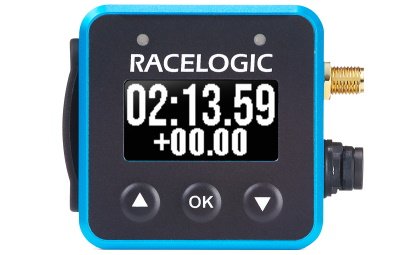
This page contains an introduction and overview of the Racelogic VBOX Mini LapTimer and what you need to know before you start using one.
This page contains an introduction and overview of the Racelogic VBOX Mini LapTimer and what you need to know before you start using one.
Register your Racelogic product so that we can provide you with notifications about the latest software and firmware releases, and offer technical support.
When you purchase a VBOX Mini LapTimer, you will find the following items when you open the box:
| Product Code | Quantity | Description |
|---|---|---|
| VBLAPMINI | 1 | VBOX Mini LapTimer Unit |
| RLACS313 | 1 | 8 GB Class 10 SDHC Card |
| RLACS287 | 1 | Lightweight Display Suction Mount with Thumb Nut |
| RLCAB165 | 1 | Hirose 6 W plug to cigar plug (2 m) |
| RLACS262 | 1 | External GNSS antenna (2 m) |
The VBOX Mini LapTimer can record to MMC, SD, SDHC and SDXC media cards formatted in a FAT or FAT32 format.
SDXC cards will be formatted as exFAT by default, a format type not supported by VBOX LapTimer. You can still use them, as long as you reformat them to FAT32 first. There are various free third-party applications available online to format SDXC cards.
If you do not have an SD card inserted in your VBOX Mini LapTimer, it will show a "No Media" message while the vehicle is moving at speeds of 5 mph or less. This makes it easier for you to make sure that you have an SD card inserted before you start your logging.
If the SD card you use has less than 10 MB of space available you will see a warning symbol flashing periodically indicating the amount of memory available.
Depending on which mode is currently active on the screen, the function of the OK button will change. The splash screen shown when scrolling through the menu describes the function of the OK button in each mode.
You can also find the complete list below:
| Mode | Function |
|---|---|
| Speed | Start and stop logging |
| Max Speed | Reset max speed value |
| Speed Bar | Set centre speed and speed display range |
| Predictive Lap Timing | Single Press fixes the reference lap according to your settings inFixed Lap Mode |
| Predictive Lap Timing | Pressing for >4 s clears the stored reference lap and all lap timing data |
| Lap Timing | Set a new start/finish line |
| Lap Count | No action |
| Lateral G | Reset max g reached |
| Lateral G Bar | Set min g and max g (targets) |
| Longitudinal G | Reset max g reached |
| Longitudinal G Bar | Set min g and max g (targets) |
| Menu | Access the Menu |